Your players pick their skins in a real menu, not in chat.
KRISPSHOT Loadouts adds a clickable inventory window to your CS2 server. Knives, gloves, agents, skins, stickers, charms, music kits, pins and pets, all applied the moment a player presses Apply.
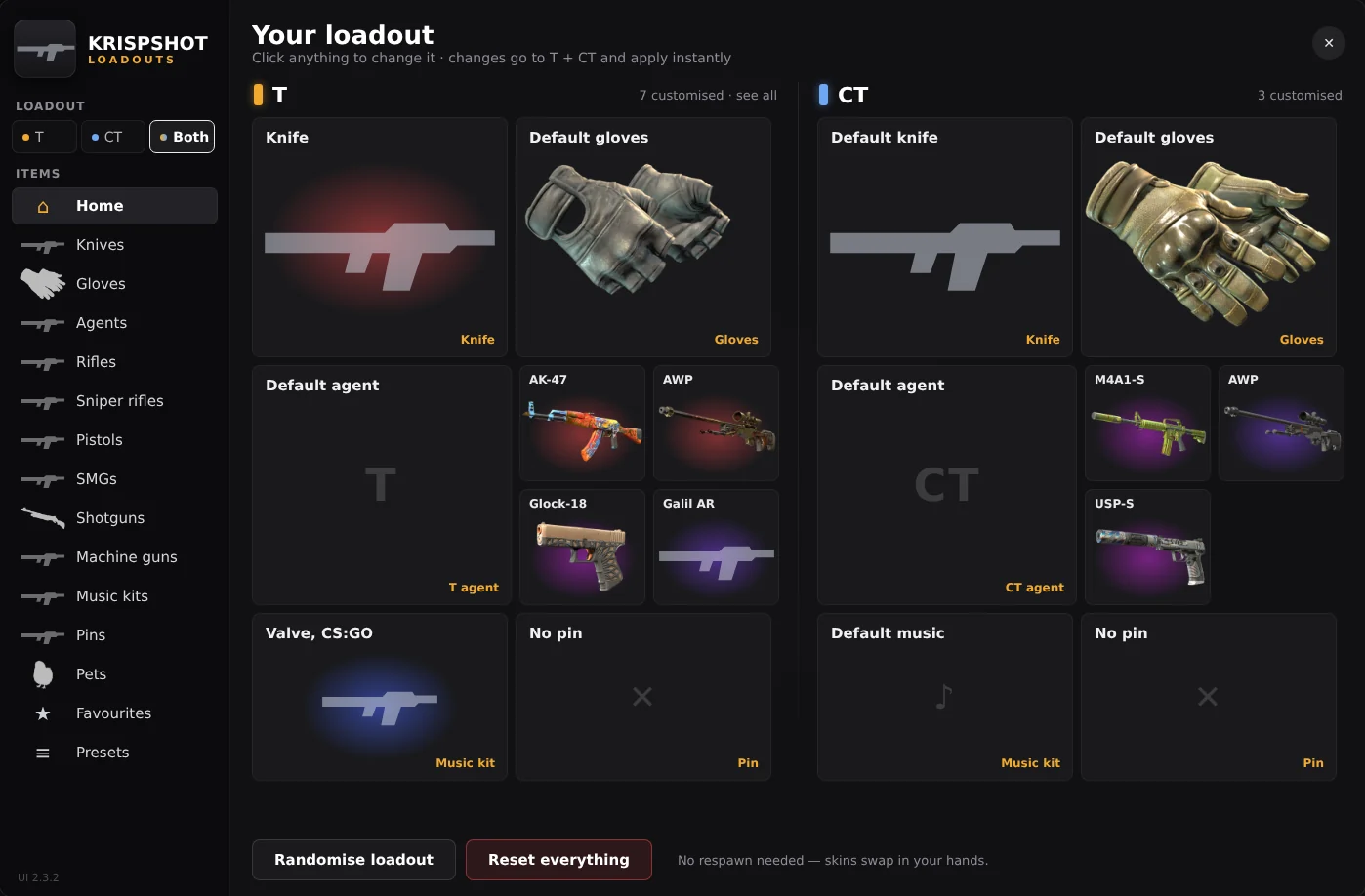
- Your loadout: T, CT or both
Everything in CS2, read from the game itself
Every tile shows the same picture CS2's inventory uses, loaded from the player's own game files. New cases and stickers show up as soon as Valve ships them, and players download nothing extra.
- weapon skins
- 2,106weapon skinsevery gun, knife and glove finish
- knives
- 22knivesevery knife model in the game
- glove finishes
- 94glove finishesacross 8 glove types
- agents
- 63agentsT and CT
- stickers
- 11,134stickersfive slots on every gun
- charms
- 78charmsone per gun
- music kits
- 102music kitsplays on MVP
- pins
- 653pinsshown on the scoreboard
From chat command to new skin in about five seconds
- 1
Open the menu
Type !skins, !inv or !knife in chat. The cursor appears and the game keeps running.
- 2
Pick an item
Choose a category on the left, filter by rarity or search, and click the skin you want.
- 3
Tune it
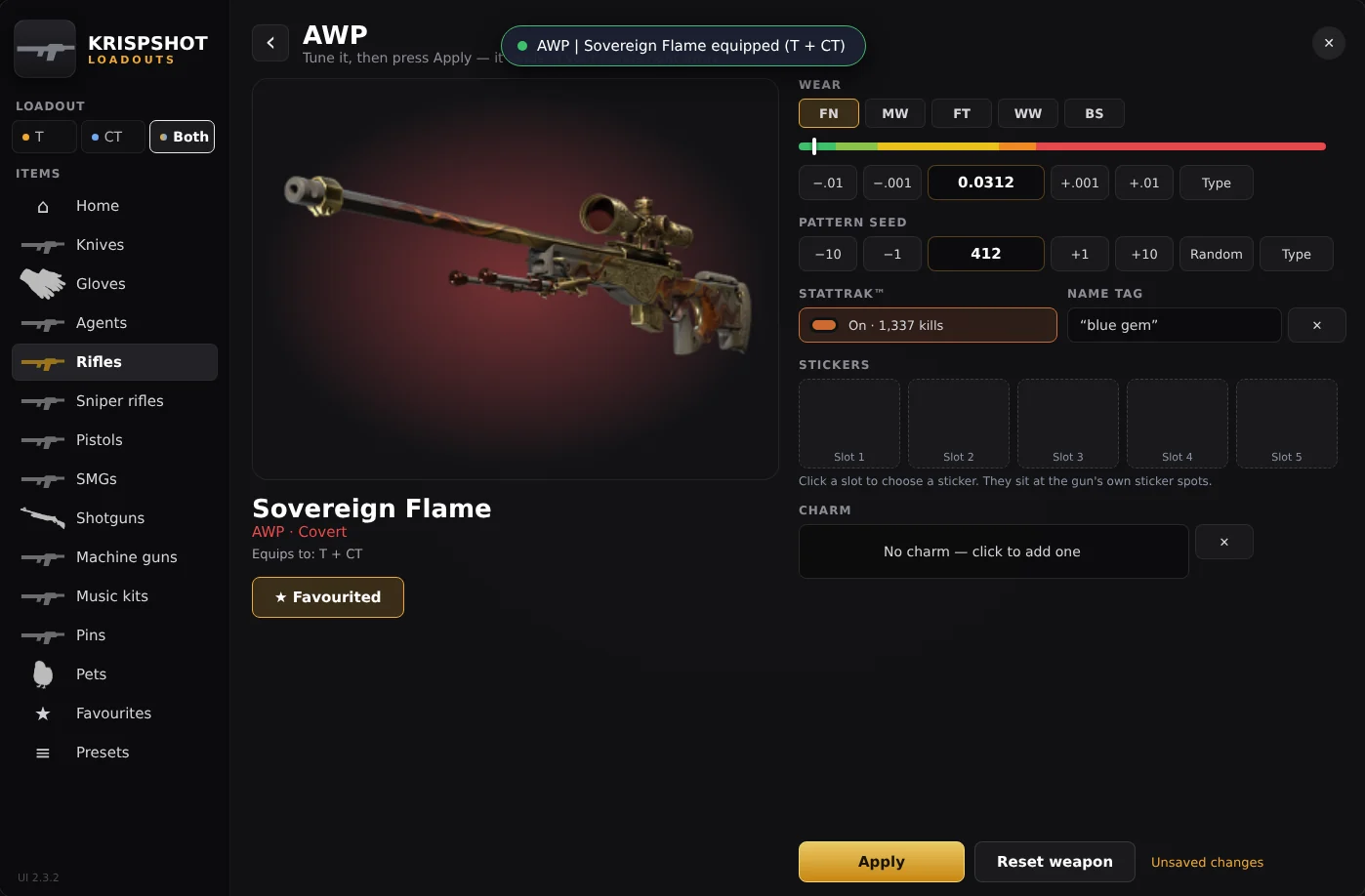
Set the wear, pattern seed, StatTrak™, name tag, up to five stickers and a charm.
- 4
Press Apply
It's in your hands straight away, on the team you chose. The menu stays open for the next change.
Built for the people who run the server
- One plugin instead of three
- The skin engine is built in. Remove WeaponPaints and CS2MenuManager; the menu replaces their chat menus.
- Your data stays where it is
- Same wp_player_* tables as WeaponPaints. Saved loadouts carry over, and a WeaponPaints-style website keeps syncing within about four seconds.
- VIP sections
- Lock the whole menu, or just knives, gloves, stickers or pets, behind any CounterStrikeSharp permission.
- Light on the server
- Database work runs off the game thread, one transaction per change, with a cooldown so nobody can spam re-equips.
Pricing
One licence runs one game server. Every plan includes the whole menu, updates and support.
Monthly
One CS2 server, billed every 30 days.
- 1 game server
- The full in-game menu
- Pets with hats and emotes
- Live sync with your loadout website
- Updates and support while it's active
Quarterly
One CS2 server, billed every 90 days - save 10%.
- 1 game server
- The full in-game menu
- Pets with hats and emotes
- Live sync with your loadout website
- Updates and support while it's active
Yearly
One CS2 server for a full year - two months free.
- 1 game server
- The full in-game menu
- Pets with hats and emotes
- Live sync with your loadout website
- Updates and support while it's active
Prices in Indian rupees. Pay by UPI, card, net banking or wallet through Cashfree. Nothing renews automatically: you pay again to extend, and the new days are added to your current end date.
Questions server owners ask
Do players need to install anything?
No. The menu is a small Workshop addon (about 2 MB) that CS2 downloads by itself while a player connects, through MultiAddonManager. The item pictures come from the player's own game files, so nothing else is downloaded.
Does it replace WeaponPaints?
Yes. KRISPSHOT Loadouts has its own skin engine built in (based on the open-source WeaponPaints core), so you remove WeaponPaints and its chat menus. It uses the same database tables, so everyone's saved skins carry over and a WeaponPaints-compatible website keeps working.
Is the change really instant?
Yes. When a player presses Apply, the plugin updates its memory and re-equips the item on the same server tick. Saving to the database happens in the background afterwards. No respawn, no reconnect, no !wp.
What happens when my licence ends?
You get a reminder e-mail 5 days before. After the end date there are 3 grace days, then the menu and skins switch off until you renew; players simply get default items. Your players' saved loadouts stay in your database and come back the moment you renew.